![Untitled design (29)-1.png]](https://help.coastr.com/hs-fs/hubfs/Untitled%20design%20(29)-1.png?height=40&name=Untitled%20design%20(29)-1.png)
You can now easily view both the booking history and task history of any vehicle directly from the fleet inventory within the Car and Van Rental Software.
Step 1: Click on the 'Fleet' tab located on the left-hand navigation bar of the software dashboard.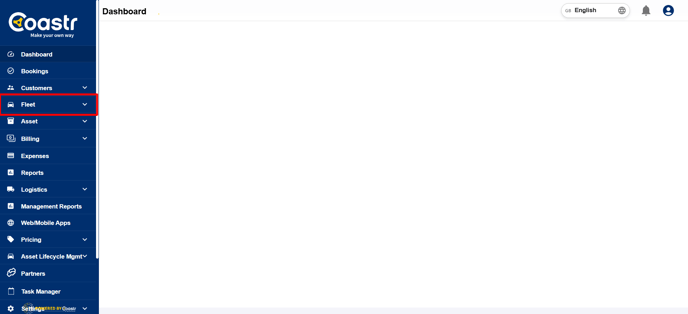
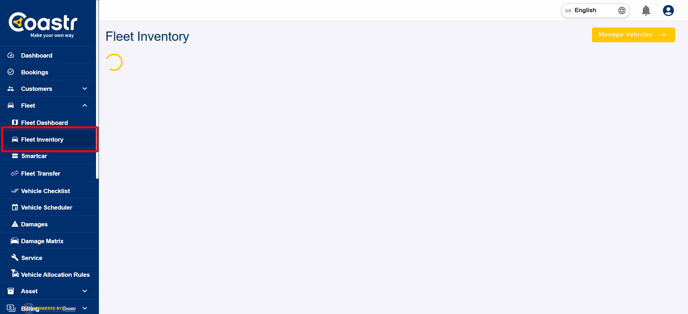
Step 2: Next, click on 'Fleet Inventory' to access the list of all vehicles in your fleet.
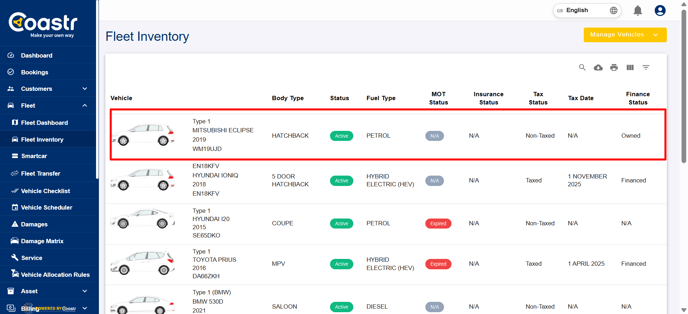
Step 3: From the fleet inventory, select the specific vehicle for which you want to view booking data. You can use the search or filter options to find the vehicle quickly.
Step 4: Once the vehicle details page opens, look at the top navigation pane. Scroll across the tabs to locate 'Booking History' and 'Task History'.
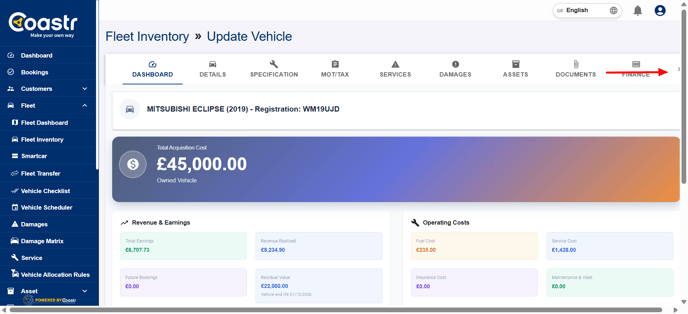
Click on either tab to view a detailed list of all past bookings or maintenance and service tasks associated with that vehicle. This feature provides transparency and an easy way to monitor vehicle usage, performance, and maintenance records.
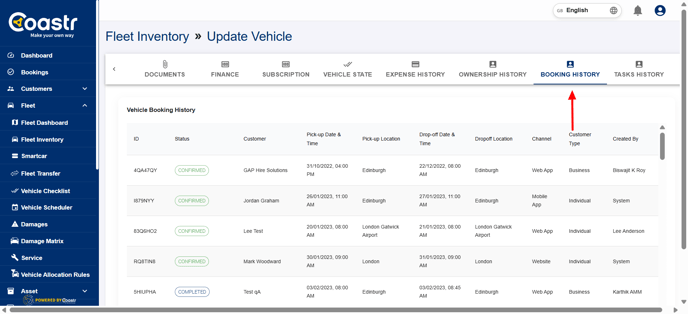
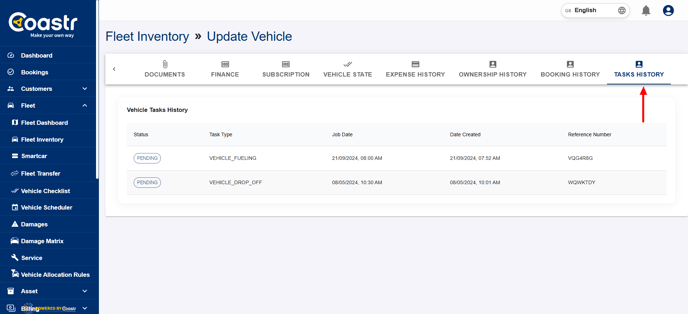
Whether you're tracking routine maintenance, past rentals, or any assigned tasks, this section will give you all the necessary insights.
And that’s it! That’s how you can view the booking and task history of any vehicle in your fleet.
If you have any questions or need assistance, feel free to email us at support@coastr.com
— we’re always happy to help!
If you found this article useful, please vote below. Your feedback really helps us improve. Thank you!